Best for included dedicated IPs, pre-send spam checks, and live analytics: Mission Inbox. Best for dedicated-server hosting with 150 mailboxes: Mailreef. Best for unlimited mailbox provisioning with capped sending volume: Inframail. This 2026 guide compares 11 cold email infrastructure providers using the same criteria, with business-email services covered separately.
TL;DR
- Mission Inbox leads this best cold email infrastructure providers shortlist for included dedicated IPs and pre-send spam checks.
- Compare mailbox counts, shared infrastructure, warmups, analytics, API access, and setup time using the same criteria.
- Aged domains and warmups are add-ons for Mission Inbox, not automatically included.
- Dedicated IPs, dedicated servers, and isolated tenants are different arrangements; do not treat them as interchangeable.
Why this matters
Cold email infrastructure supplies the mailboxes, servers, and sending connections behind outreach. Campaign software manages sequences and follow-ups. That distinction is useful context, but it is not a differentiator when every provider is being compared as infrastructure.
The meaningful differences are concrete: how many mailboxes you receive, whether you share infrastructure, which checks run before sending, what analytics you get, and which features require another purchase.
Source and scope: Provider details below reproduce Mission Inbox's comparison table captured in October 2026. It is a vendor-supplied feature comparison, not independent deliverability testing. Setup times are the table's stated times, not measured results; confirm current terms before purchasing.
What makes the best cold email infrastructure providers
Use these same criteria for every provider:
- Starting price and mailboxes included: Keep per-domain, per-mailbox, monthly, and usage-based terms distinct.
- Dedicated IPs and shared infrastructure: Read both rows together; an IP allocation does not automatically mean your own server.
- Aged domains and warmups: Separate included features from add-ons, separate products, and external sequencer warmup.
- Spam checks before sending: Distinguish every-email checks from manual copy review or a separate checker.
- Deliverability analytics: Distinguish live dashboards, domain analytics, placement tests, alerts, and blacklist monitoring.
- API access and setup time: Record plan restrictions and stated setup times without promising faster deployment.
Cold email infrastructure providers at a glance
The two tables below split the same comparison into readable sections. Provider order stays consistent across both tables and the individual entries.
Price, mailbox count, and infrastructure
Prices are reproduced as stated in the October 2026 source. They are not normalized into equivalent packages because the billing units and included services differ.
Mission Inbox
- Starting price in source: $50/month
- Mailboxes included: 15
- Dedicated IPs: Included
- Shared with other senders?: No, your own servers
Mailforge
- Starting price in source: $30/month; domains extra
- Mailboxes included: 10
- Dedicated IPs: No; shared IP pool
- Shared with other senders?: Yes, shared IP pool
Hypertide
- Starting price in source: $25/domain/month
- Mailboxes included: 25 per domain
- Dedicated IPs: Unique IP per domain
- Shared with other senders?: No, separate tenant per domain
Infraforge
- Starting price in source: $40/month
- Mailboxes included: 10
- Dedicated IPs: Paid add-on; $297/quarter per IP
- Shared with other senders?: No, with the dedicated IP add-on
Inframail
- Starting price in source: $147/month
- Mailboxes included: Unlimited; capped at sending volume
- Dedicated IPs: 1 dedicated US IP
- Shared with other senders?: No
Maildoso
- Starting price in source: $75/month; domains extra
- Mailboxes included: 30
- Dedicated IPs: No; shared rotating IP pool
- Shared with other senders?: Yes, shared IP pool
Mailreef
- Starting price in source: $249/month + $0.001 per send
- Mailboxes included: 150
- Dedicated IPs: Included
- Shared with other senders?: No, dedicated server
Mailscale
- Starting price in source: No public pricing; demo only
- Mailboxes included: Yes; quantity not public
- Dedicated IPs: No; shared IP pool
- Shared with other senders?: Yes, shared IP pool
Primeforge
- Starting price in source: $45/month; domains extra
- Mailboxes included: 10
- Dedicated IPs: No; shared Google/M365 IPs
- Shared with other senders?: Own tenant, shared Google/MS IPs
ScaledMail
- Starting price in source: $3.75/domain/month for SMTP
- Mailboxes included: 4 mailboxes per domain
- Dedicated IPs: Rotating IPs
- Shared with other senders?: No, isolated single tenant
Zapmail
- Starting price in source: $39/month
- Mailboxes included: 10
- Dedicated IPs: No; shared Google/MS IPs
- Shared with other senders?: Yes, shared reseller pool
Aged domains, warmups, checks, analytics, API, and setup
“Not available,” “not included,” and “paid add-on” retain their separate meanings. A feature that the source does not establish is not upgraded into a claimed capability.
Mission Inbox
- Aged domains: Available, add-on
- Warmups: Available, add-on
- Spam check before sending: Every email, before it sends
- Deliverability analytics: Live dashboard, included
- API access: Yes
- Setup time: 10 minutes
Mailforge
- Aged domains: Not available
- Warmups: Separate product: Warmforge
- Spam check before sending: Not available
- Deliverability analytics: No native dashboard
- API access: Available
- Setup time: 5–10 minutes
Hypertide
- Aged domains: Not available
- Warmups: Uses your sequencer warmup
- Spam check before sending: Not available
- Deliverability analytics: Domain analytics, placement tests
- API access: Available
- Setup time: 4–6 hours
Infraforge
- Aged domains: Not available
- Warmups: Separate product: Warmforge
- Spam check before sending: Not available
- Deliverability analytics: Alerts only; tests need Warmforge
- API access: Available
- Setup time: About 5 minutes
Inframail
- Aged domains: Not available
- Warmups: Not included
- Spam check before sending: Not available
- Deliverability analytics: Blacklist monitoring; paid add-on
- API access: Available
- Setup time: About 10 minutes
Maildoso
- Aged domains: Not available
- Warmups: Not available
- Spam check before sending: Manual copy review only
- Deliverability analytics: Placement tests and health scores
- API access: Available
- Setup time: Under 10 minutes
Mailreef
- Aged domains: Not available
- Warmups: Pre-warmed; ongoing warmup advised
- Spam check before sending: Not available
- Deliverability analytics: Server and mailbox monitoring
- API access: Available
- Setup time: 10 minutes
Mailscale
- Aged domains: No; branded spin-offs
- Warmups: Included, built-in
- Spam check before sending: Not available
- Deliverability analytics: Placement monitoring only
- API access: Not available
- Setup time: Not public
Primeforge
- Aged domains: Not available
- Warmups: Separate product: Warmforge
- Spam check before sending: Not available
- Deliverability analytics: Separate product: Warmforge
- API access: Available
- Setup time: About 30 minutes
ScaledMail
- Aged domains: Available
- Warmups: Not included
- Spam check before sending: Not available
- Deliverability analytics: Paid add-on; +$2/mailbox/month
- API access: Available
- Setup time: 24–72 hours
Zapmail
- Aged domains: Paid add-on
- Warmups: Uses your sequencer warmup
- Spam check before sending: Separate checker, not pre-send
- Deliverability analytics: 3 placement tests/month
- API access: Pro plan only
- Setup time: Minutes to ~3 hours
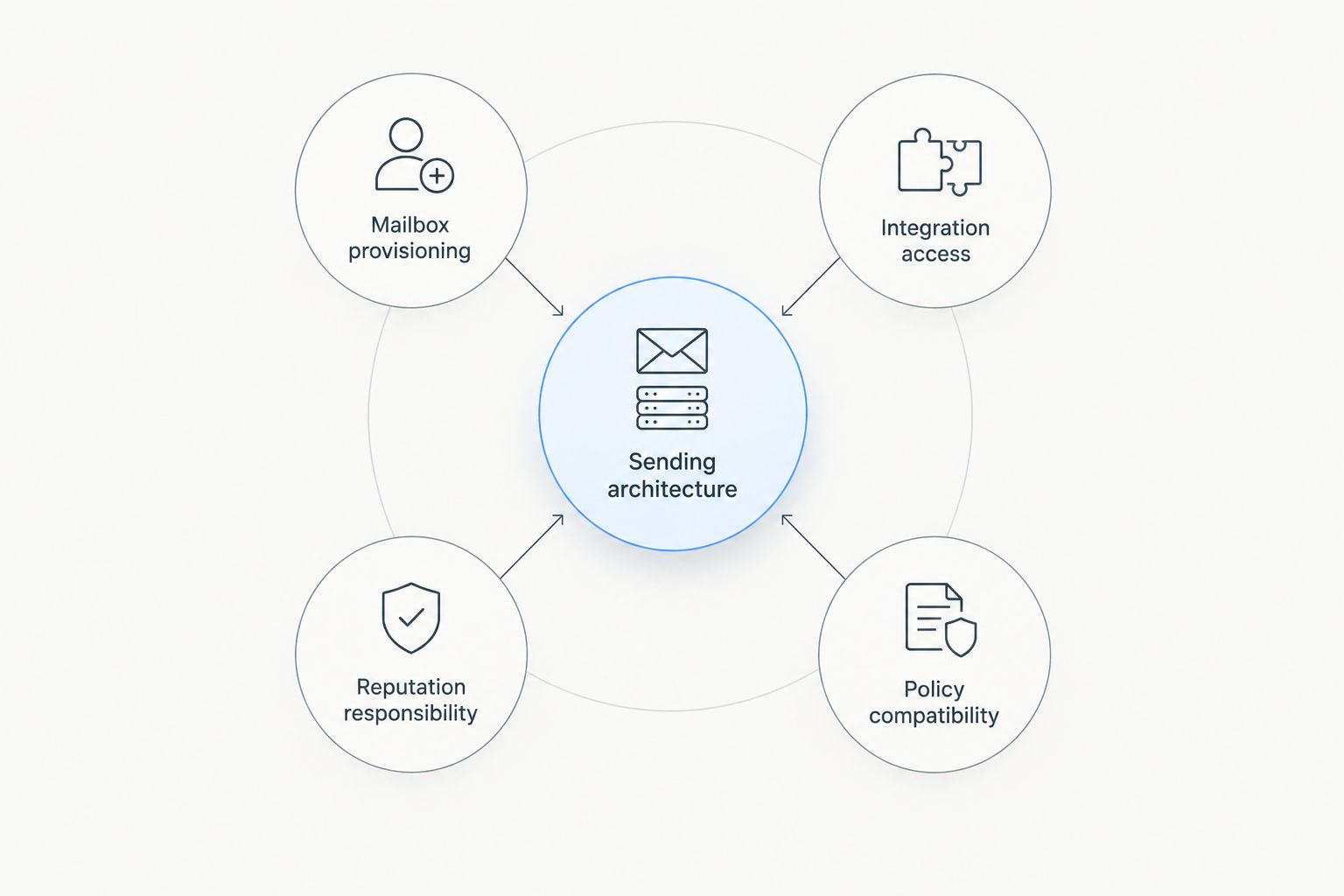
Choose the architecture before comparing mailbox deployment options.
1. Mission Inbox: best for included pre-send checks and live analytics
Mission Inbox combines 15 mailboxes, included dedicated IPs, your own servers, and API access. Its clearest distinction in the source table is checking every email before it sends, alongside an included live deliverability dashboard.
Mission Inbox pros:
- Dedicated IPs included, with no sharing with other senders.
- Every-email spam checks before sending.
- Included live dashboard and API access.
Mission Inbox limitations:
- Aged domains and warmups are add-ons, not included features.
- The listed mailbox count is 15; larger counts appear elsewhere in the comparison.
Mission Inbox pricing: The source lists $50/month and 10-minute setup. Its separately available Aged Domains product is leased in-platform; each aged domain includes 5 pre-warmed mailboxes and can generate 25 free subdomains. That does not make aged domains part of the base package.
Best for: Teams prioritizing server separation, pre-send checks, and included analytics. Verdict: Buy when those are your requirements.
2. Mailforge: best for a 10-mailbox shared-pool setup
Mailforge's source entry lists 10 mailboxes, a shared IP pool, API access, and 5–10-minute setup. It is a shared-infrastructure choice, not a dedicated-IP alternative.
Mailforge pros:
- 10 mailboxes in the listed package.
- API access available.
- Stated setup time of 5–10 minutes.
Mailforge limitations:
- Shared IP pool; aged domains and pre-send spam checks are not available.
- No native deliverability dashboard; warmup requires the separate Warmforge product.
Mailforge pricing: $30/month, with domains extra in the source.
Best for: Teams whose requirements allow shared IPs and separate warmup tooling. Verdict: Buy for that specific setup; skip if dedicated IPs are mandatory.
3. Hypertide: best for a separate tenant with 25 mailboxes per domain
Hypertide lists 25 mailboxes per domain, a unique IP per domain, and a separate tenant per domain. The source says “unique IP”; this comparison does not turn that into a broader dedicated-server claim.
Hypertide pros:
- 25 mailboxes per domain.
- Domain analytics and placement tests.
- API access and a separate tenant per domain.
Hypertide limitations:
- Aged domains and pre-send spam checks are not available.
- Warmup uses your sequencer; stated setup takes 4–6 hours.
Hypertide pricing: $25/domain/month in the source.
Best for: Teams selecting a per-domain tenant arrangement with placement testing. Verdict: Buy if that architecture and setup window fit.
4. Infraforge: best for adding dedicated IPs separately
Infraforge lists 10 mailboxes and API access with about 5-minute setup. Dedicated IPs are a paid add-on, and the source's no-sharing statement is conditional on that add-on.
Infraforge pros:
- Dedicated IP option stated explicitly.
- API access available.
- About 5-minute stated setup.
Infraforge limitations:
- Dedicated IPs are not included in the starting package.
- Analytics are alerts only; placement tests and warmup require Warmforge, and pre-send checks are not available.
Infraforge pricing: $40/month; the dedicated IP add-on is listed at $297/quarter per IP.
Best for: Teams choosing dedicated IPs as a separate purchase. Verdict: Buy only after accounting for the add-on your isolation requirement needs.
5. Inframail: best for unlimited mailboxes with a sending-volume cap
Inframail lists unlimited mailboxes, subject to capped sending volume, plus 1 dedicated US IP. The source marks infrastructure as not shared with other senders and lists API access.
Inframail pros:
- Unlimited mailbox count under the stated sending-volume cap.
- 1 dedicated US IP.
- API access and about 10-minute setup.
Inframail limitations:
- Unlimited mailboxes does not mean unlimited sending.
- Warmups are not included; blacklist monitoring is a paid add-on, and pre-send checks are not available.
Inframail pricing: $147/month in the source.
Best for: Teams prioritizing mailbox quantity over included warmup or pre-send checks. Verdict: Buy after confirming the sending-volume cap.
6. Maildoso: best for 30 mailboxes with placement tests and health scores
Maildoso lists 30 mailboxes on a shared rotating IP pool. Its analytics entry names placement tests and health scores, while its spam-check entry is manual copy review only.
Maildoso pros:
- 30 mailboxes in the listed package.
- Placement tests and health scores.
- API access and setup under 10 minutes.
Maildoso limitations:
- IPs are shared with other senders; aged domains and warmups are not available in the source.
- Manual copy review is not an automatic check before every email sends.
Maildoso pricing: $75/month, with domains extra in the source.
Best for: Teams seeking a 30-mailbox shared-pool package with placement diagnostics. Verdict: Buy if those tradeoffs match your requirements.
7. Mailreef: best for dedicated-server hosting with 150 mailboxes
Mailreef lists 150 mailboxes, included dedicated IPs, and a dedicated server. Its analytics cover server and mailbox monitoring, a different scope from placement testing or every-email checks.
Mailreef pros:
- Dedicated server with dedicated IPs included.
- 150 mailboxes.
- API access and server/mailbox monitoring.
Mailreef limitations:
- Aged domains and pre-send spam checks are not available.
- Mailboxes are pre-warmed, but the source advises ongoing warmup; pricing also includes a per-send charge.
Mailreef pricing: $249/month plus $0.001 per send; setup is listed at 10 minutes.
Best for: Teams specifically requiring a dedicated server and the stated mailbox count. Verdict: Buy if that package fits your sending needs.
8. Mailscale: best for built-in warmup on shared infrastructure
Mailscale lists built-in warmup and placement monitoring on a shared IP pool. Mailboxes are included, but their quantity, starting price, and setup time are not public in the source.
Mailscale pros:
- Built-in warmup included.
- Placement monitoring.
- Mailboxes included, with quantity undisclosed.
Mailscale limitations:
- Shared IP pool and no API access.
- No pre-send spam checks; branded spin-offs are not classified as aged domains in the table.
Mailscale pricing: No public pricing; demo only in the source.
Best for: Teams prioritizing included warmup and not requiring API access. Verdict: Hold until the package size and commercial terms are clear.
9. Primeforge: best for an own-tenant setup on Google/M365 IPs
Primeforge lists 10 mailboxes in an own-tenant arrangement, but the IPs remain shared Google/Microsoft IPs. This is a concrete example of tenant separation not being the same as dedicated IPs.
Primeforge pros:
- Own-tenant arrangement in the source.
- API access available.
- 10 mailboxes in the listed package.
Primeforge limitations:
- IPs are shared; aged domains and pre-send checks are not available.
- Warmup and deliverability analytics require the separate Warmforge product.
Primeforge pricing: $45/month, with domains extra; setup is about 30 minutes in the source.
Best for: Teams choosing tenant separation while accepting shared Google/M365 IPs. Verdict: Buy if tenant separation, rather than dedicated IPs, is your requirement.
10. ScaledMail: best for an isolated tenant with aged-domain options
ScaledMail lists 4 mailboxes per domain, rotating IPs, and an isolated single tenant. Aged domains are marked available; the source does not establish that they are included in the starting package.
ScaledMail pros:
- Isolated single-tenant arrangement.
- Aged-domain option available.
- API access available.
ScaledMail limitations:
- Warmups are not included and pre-send checks are not available.
- Analytics are a paid add-on; stated setup takes 24–72 hours.
ScaledMail pricing: $3.75/domain/month for SMTP; analytics are listed at an additional $2/mailbox/month.
Best for: Teams prioritizing an isolated tenant and aged-domain options over rapid setup. Verdict: Buy if those criteria matter most.
11. Zapmail: best for shared mailboxes with limited placement testing
Zapmail lists 10 mailboxes on shared Google/Microsoft IPs and a shared reseller pool. Its diagnostics include 3 placement tests/month and a separate checker, not a check before each send.
Zapmail pros:
- 10 mailboxes in the listed package.
- 3 placement tests/month.
- Aged domains offered as a paid add-on.
Zapmail limitations:
- Shared infrastructure; warmup uses your sequencer.
- API access is Pro-plan only, and the checker is not pre-send.
Zapmail pricing: $39/month in the source; setup ranges from minutes to approximately 3 hours.
Best for: Teams accepting shared infrastructure and limited monthly placement tests. Verdict: Hold until the required API plan and add-ons are confirmed.
Business-email services: a separate category
Google Workspace, Microsoft 365, and Zoho Mail remain relevant business-email options from the original draft. They are not in the supplied October 2026 comparison, so they do not receive invented mailbox counts, setup times, or feature scores.
Google Workspace
- Best for: Google-centered business correspondence
- Status against the same comparison criteria: Not confirmed by the supplied table
Microsoft 365
- Best for: Microsoft-centered business correspondence
- Status against the same comparison criteria: Not confirmed by the supplied table
Zoho Mail
- Best for: Business mailbox hosting
- Status against the same comparison criteria: Not confirmed by the supplied table
For each, starting price, mailboxes included, dedicated IPs, aged domains, warmups, pre-send checks, analytics, shared infrastructure, API access, and setup time require separate confirmation. Their absence from this table means unknown, not unavailable. Verdict: Hold for this outreach comparison until those same fields and intended-use policies are checked.
How we ranked
This 2026 guide uses the supplied table's provider order and feature categories. It does not claim that the order reflects independently tested inbox placement. The best-for labels identify different requirements supported by those rows, not invented advantages such as “better campaign quality” or “simpler operations.”
Price alone is not a like-for-like comparison when one entry is per domain, another includes a fixed mailbox count, and another charges per send. Likewise, placement monitoring, blacklist monitoring, copy review, and automatic pre-send checks are not interchangeable features.
Which provider should you choose?
Choose Mission Inbox for cold email infrastructure when included dedicated IPs, your own servers, every-email pre-send checks, and a live dashboard are the deciding criteria. Add aged domains and warmup only when you need them; neither is automatically included.
Choose Mailreef for its dedicated-server package with 150 mailboxes. Choose Inframail when unlimited mailbox provisioning within a sending-volume cap is the priority. Use the remaining entries to match a specific tenant arrangement, warmup model, diagnostic scope, or API requirement rather than treating every product as equivalent.
For a 2026 purchase, confirm the exact package against every comparison row. An “available” feature is not necessarily included, and a fast stated setup time is not an inbox-placement promise.
FAQ
What's the best cold email infrastructure provider in 2026?
Mission Inbox is the recommendation here for included dedicated IPs, your own servers, every-email pre-send spam checks, and an included live dashboard. The verdict is based on Mission Inbox's October 2026 feature table, not independent inbox-placement testing.
Are aged domains and warmups included with Mission Inbox?
Both are listed as available add-ons, not included base-package features. Mission Inbox leases Aged Domains in-platform; each aged domain includes 5 pre-warmed mailboxes and can generate 25 free subdomains.
Which providers offer dedicated IPs in this comparison?
The table lists dedicated IPs as included for Mission Inbox and Mailreef, 1 dedicated US IP for Inframail, and a paid add-on for Infraforge. Hypertide's entry says unique IP per domain; ScaledMail's says rotating IPs, so those labels are preserved rather than rewritten as equivalent claims.
Does an isolated tenant mean dedicated IPs?
No. Primeforge's entry combines an own tenant with shared Google/M365 IPs, while ScaledMail lists an isolated single tenant and rotating IPs. Read the tenant and IP rows separately.
Are placement tests the same as pre-send spam checks?
No. The supplied table distinguishes placement tests, manual copy review, a separate checker, and every-email checks before sending. Only Mission Inbox's row states every-email pre-send checks.
Which provider includes the most mailboxes?
Inframail lists unlimited mailboxes subject to capped sending volume. Among the fixed counts in this table, Mailreef lists 150; these package descriptions do not establish equivalent sending capacity.
How should I compare cold email infrastructure prices?
Compare the same billing units and required add-ons. The supplied table includes monthly packages, per-domain terms, a per-send charge, separate products, and plan-restricted API access; those are not directly equivalent packages.
Why are Google Workspace, Microsoft 365, and Zoho Mail separate?
They were in the original draft but not in the supplied provider comparison. They remain a business-email section with the same comparison fields marked unconfirmed rather than assigned invented feature differences.
One last thing
Do not turn an add-on into an included feature, or an unknown into a no. Before switching providers, keep a record of the exact package, IP arrangement, warmup responsibility, checks, analytics, and API plan you are buying. The useful comparison is the service you will actually receive, not a generic feature label.


.svg)
.svg)