A plain-English explanation of email subdomains, with examples of how they are built and used for sending.
An email subdomain is a name you put in front of a domain you already own, like try.acme.com under acme.com, set up with its own DNS records so it can send and receive email. It costs nothing to create, because it is a DNS record and not a new domain purchase, and it starts life with the history of the domain it sits under.
That last part is why subdomains have become one of the most important ideas in cold email. This page covers the basics: what a subdomain is, what it looks like in an email address, which records it needs, and why senders use them. If you already know all that, jump to our complete guide to subdomains for cold email.
Last updated: November 2026
What is a subdomain, in plain words?
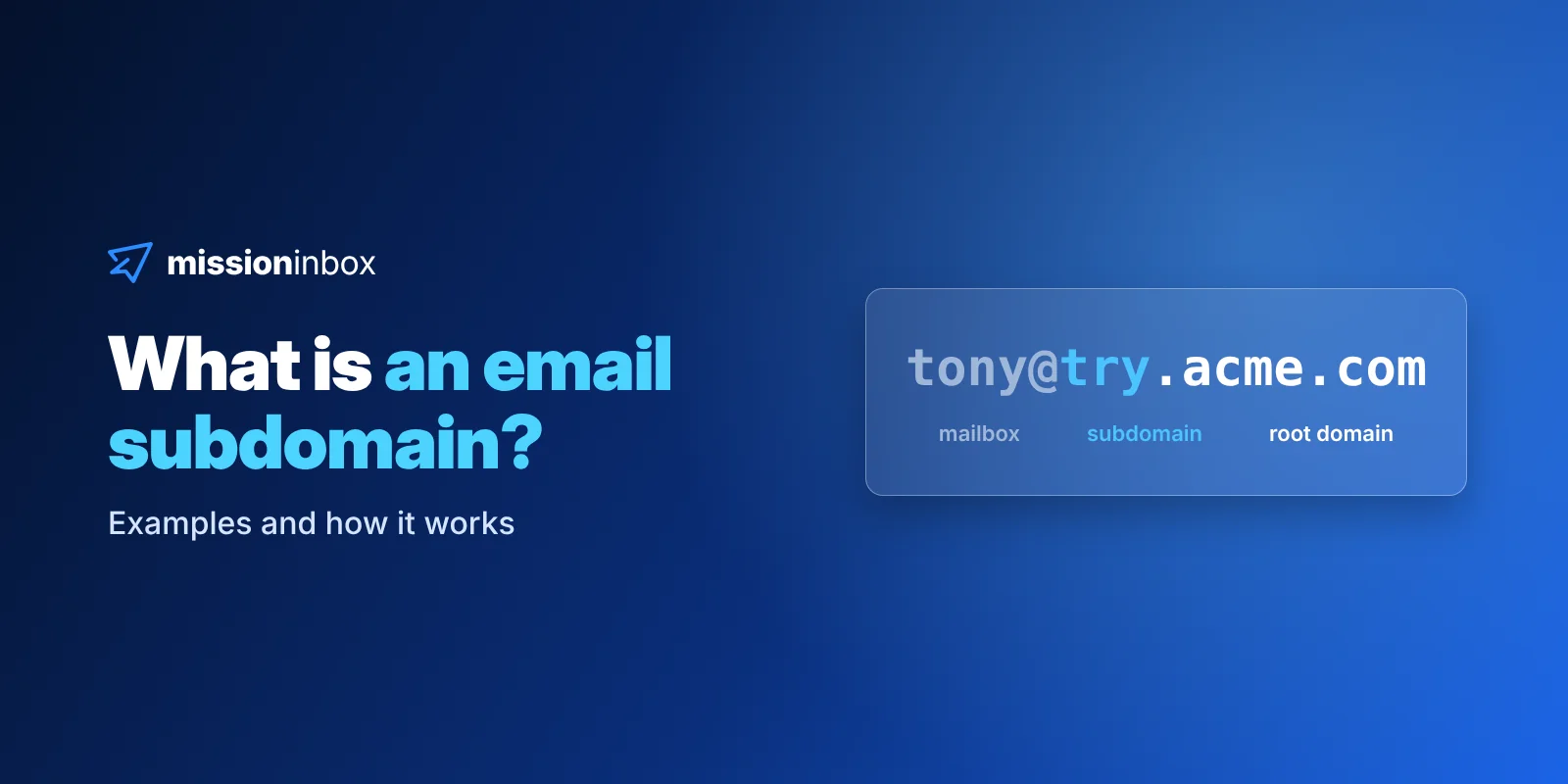
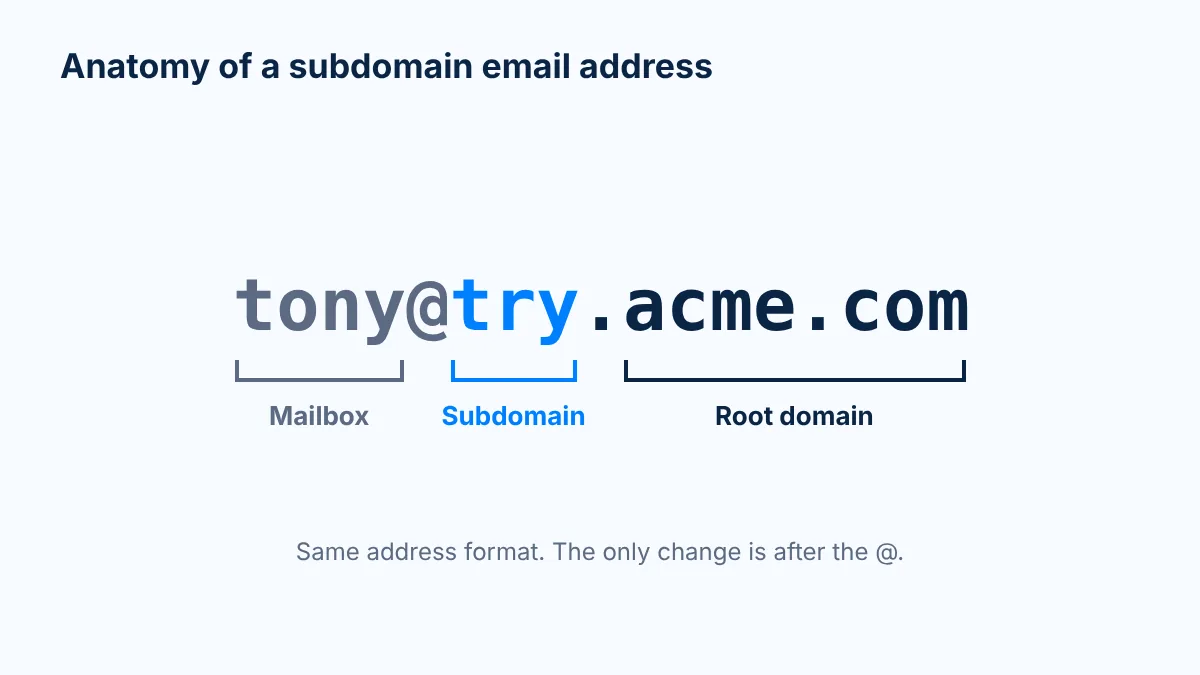
A subdomain is the word in front of a domain. In try.acme.com, "acme.com" is the root domain (also called the registered or organizational domain) and "try" is the subdomain.
You don't buy a subdomain. Whoever owns acme.com can create try.acme.com, book.acme.com or hello.acme.com in their DNS settings in a couple of minutes. There's no registration, no renewal date and no extra invoice. The subdomain lives as long as the root does.
Three properties matter for email:
It costs $0. It is a DNS record, not a purchase.
It never needs renewing. It exists as long as the root domain exists.
It starts with the root's history. It is part of a domain that may already be years old, so it isn't born from nothing.
Subdomain vs root domain vs lookalike domain
This is where most of the confusion starts, so here's the side-by-side.
Root domain
Subdomain
Lookalike domain
Example
acme.com
try.acme.com
getacme.com
How you get it
Register and pay yearly
Add DNS records under a domain you own
Register and pay yearly
Cost
Yearly registration
$0
Yearly registration, per domain
Age and history
Its own
Starts with the root's
Zero, born the day you buy it
Renewal
Yearly
None, lives as long as the root
Yearly, per domain
If it burns
Your whole brand is hit
Retire it, create a new one in minutes
Buy another and warm it from scratch
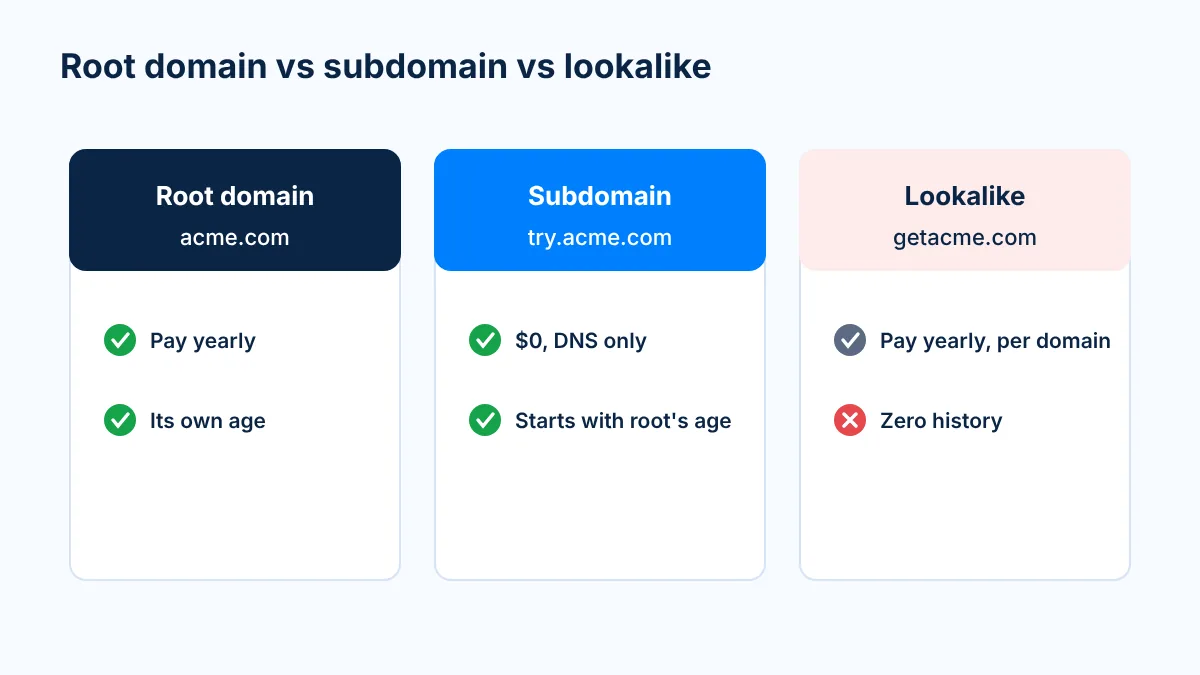
The key difference is age and history. A lookalike like getacme.com is a brand-new registration. As far as every spam filter is concerned, it was born the day you bought it. A subdomain like try.acme.com sits under a domain that might have been registered and renewed for a decade.
The way I explain it on calls: a subdomain is like Hercules, the son of Zeus. It's still a baby and it still needs training, but it was born with great genetics. A brand-new lookalike domain is a baby with no parents at all.
Exactly like any other email address. The only difference is the part after the @.
tony@try.acme.com is a mailbox on the subdomain try.acme.com
sarah@book.acme.com is a mailbox on the subdomain book.acme.com
orders@orders.acmeshop.com is a receipt address on a store's orders subdomain
news@news.acmebank.com is a bank's newsletter address
no-reply@security.acmecloud.com is a password-reset address
You get emails from subdomains every day without noticing. Your receipts come from one, your bank's newsletter from another, your password resets from a third. Google itself runs meet.google.com, mail.google.com and calendar.google.com.
Big companies have split their email by subdomain for more than 20 years. Receipts on one, newsletters on another, security alerts on a third, so a problem in one stream doesn't take the others down. Cold email is just one more stream.
Can email use a subdomain?
Yes. Any subdomain can send and receive email as long as it has the right DNS records. Mail servers don't treat try.acme.com as a second-class domain. They look up its records, check its authentication and deliver the message.
It is also what the industry's own best-practice body recommends. M3AAWG (the Messaging, Malware and Mobile Anti-Abuse Working Group, whose members include the major mailbox providers) says in its Sending Domains Best Common Practices that "it is strongly recommended that senders assign a separate subdomain of the main domain name for each distinct sending purpose."
What DNS records does a sending subdomain need?
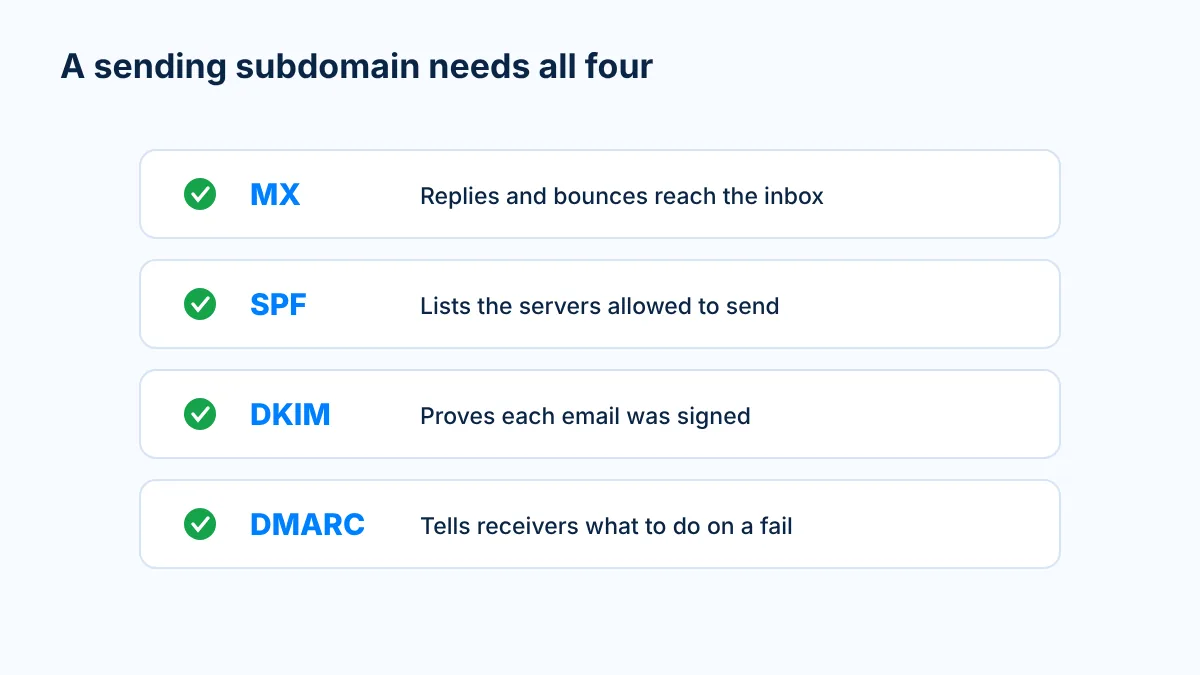
A subdomain that sends email needs the same four authentication pieces a root domain needs. Without them, it won't land anywhere useful.
Record
Where it lives
What it does
Example
MX
try.acme.com
Tells the world where mail for the subdomain is delivered, so replies and bounces reach the inbox
try.acme.com MX 10 mx.yourprovider.com
SPF (TXT)
try.acme.com
Lists the servers allowed to send as the subdomain
v=spf1 include:yourprovider.com -all
DKIM (TXT)
selector._domainkey.try.acme.com
Publishes the public key that proves each email was signed by the subdomain
v=DKIM1; k=rsa; p=MIIB...
DMARC (TXT)
_dmarc.try.acme.com, or inherited from _dmarc.acme.com
Tells receivers what to do when SPF or DKIM fails, and where to send reports
v=DMARC1; p=quarantine; rua=mailto:dmarc@acme.com
Two terms in that table are worth explaining.
The sp= tag. If a subdomain doesn't publish its own DMARC record, the receiving server goes up a level and uses the root domain's DMARC record. The sp= tag in that root record is the policy for subdomains specifically. So a root record with p=reject; sp=none protects the root strictly while being lenient on subdomains. For cold email, we recommend giving each sending subdomain its own DMARC record so its policy and reports are clear.
Alignment. Alignment means the name in the From line, the name that signs the email (DKIM) and the name that's allowed to send (SPF) all match. Google requires bulk senders to personal Gmail accounts to align the From domain with the SPF or DKIM organizational domain, and recommends aligning both (Google sender FAQ). If you send from tony@try.acme.com, the DKIM signature and the Return-Path should be on acme.com or one of its subdomains, ideally try.acme.com itself.
Setting this up by hand for 25 subdomains is real work, which is a big reason most people never try. At Mission Inbox every subdomain, inbox and record is created automatically. If you want the step-by-step either way, read how to set up, name and warm up subdomains for cold email.
Why do cold emailers use subdomains?
Because the usual way of scaling cold email is expensive and fragile.
The usual way: buy a lookalike domain, put 3 inboxes on it, send about 30 emails a day from each. That's about 90 emails a day per domain. Want 5,000 a day? That's 56 domains to buy, renew, authenticate and warm up, and every one starts with zero history.
The subdomain way: take one trusted root and build up to 25 subdomains on it, 3 inboxes each. That's 75 inboxes. At a normal 30 a day per inbox, about 2,250 emails a day from a single root, roughly 49,500 a month across 22 sending days. Three roots cover 5,000 a day.
Every inbox still sends a normal ~30 a day. We're not pushing anything harder. The volume comes from more inboxes under one name that inbox providers already trust.
Subdomains also make problems cheap. If one subdomain starts landing in spam, you stop using it, delete its records and create a new one. It's a DNS record, so the replacement costs nothing, and the new subdomain is born with the root's reputation again. On a one-domain setup, a burn is a crisis. On subdomains, it's a Tuesday.
There's one rule that makes all of this work: the root itself never sends cold email. And the root has to be worth inheriting from, which is why we build on aged domains (registered 10+ years ago, renewed every year since, clean reputation). Subdomains only multiply what the root already has. On a two-week-old domain, that's nothing. More on that in aged domains for cold email.
Does a subdomain share reputation with the main domain?
Partly, and that's the most common question we get on calls. Reputation flows down from the root to the subdomain, which is the whole point. What each subdomain does after that is judged largely on its own record at the mailbox providers, but some things, like domain blocklists, act on the root.
Root domain (registered or organizational domain): the domain you buy, like acme.com.
Subdomain: a name in front of the root, like try.acme.com. Free, no renewal.
Lookalike (cousin) domain: a separate domain that resembles your brand, like getacme.com. Starts from zero history.
Aged domain: a domain registered 10+ years ago and renewed every year since, with a clean reputation.
Alignment: the From domain matches the domains used for SPF and DKIM.
FAQ
What is an email subdomain?
An email subdomain is a name added in front of a domain you already own, like try.acme.com under acme.com, that has its own DNS records so it can send and receive email. It costs nothing because it is a DNS record, not a new domain purchase.
What is an example of a subdomain email address?
tony@try.acme.com is a subdomain email address. The part after the @ is try.acme.com, which is a subdomain of acme.com. Receipts from orders.acmeshop.com or newsletters from news.acmebank.com are everyday examples.
Can you send email from a subdomain?
Yes. Any subdomain with MX, SPF, DKIM and DMARC records can send and receive email exactly like a root domain. Large companies have split their email streams across subdomains for more than 20 years.
What DNS records does a sending subdomain need?
An MX record to receive replies, an SPF record that lists the servers allowed to send for it, a DKIM key that signs its mail, and a DMARC policy, either its own or inherited from the parent through the sp= tag.
What is the difference between a subdomain and a lookalike domain?
A subdomain like try.acme.com lives under a domain you already own and starts with that domain's age and history. A lookalike like getacme.com is a separate registration that starts with zero history, its own renewal and its own warm-up.
Why do cold emailers use subdomains?
Because one trusted root domain can carry up to 25 sending subdomains with 3 inboxes each, about 75 inboxes, without buying dozens of new domains. Each subdomain is free, can be replaced in minutes, and the root itself never sends cold email.
Where to go next
Subdomains are simple on their own. What makes them work for cold email is the root they sit on and how you run them. Our complete guide to subdomains for cold email puts it all together, and The Subdomains on Aged Domains Playbook gives you every number on one page: 1 aged domain, 25 subdomains, 75 inboxes, about 2.2K emails a day.
Hopefully in your inbox,
Tony
Share article
Read Time
8 MIN READ
Category
Deliverability
Send with Protection
Stop relying on shared infrastructure that you don't control. Mission Inbox gives you dedicated servers, dedicated IPs, and full ownership of your sending reputation.
What is the difference between a subdomain and a lookalike domain?
Why do cold emailers use subdomains?
Send at volume with Mission Inbox
Stop relying on shared infrastructure that you don't control. Mission Inbox gives you dedicated servers, dedicated IPs, and full ownership of your sending reputation.
Thank you! Your submission has been received!
Oops! Something went wrong while submitting the form.
Before you go
Get a free deliverability consulting call
Grab 30 minutes with our deliverability team. We'll audit your domains, mailboxes and sending volume live, and show you exactly where your placement is leaking. No pitch, no obligation, no card.
See how much pipeline shared infrastructure is making you lose
Spot burned domains and bad IP neighbors before they tank a campaign
See the campaign performance differences between Mission Inbox senders and other providers